One system doing everything
the office used to do by hand.
An interview booking system that shifts scheduling from the admin staff directly to the client, handling around 400 interviews during peak registration and throughout the year.
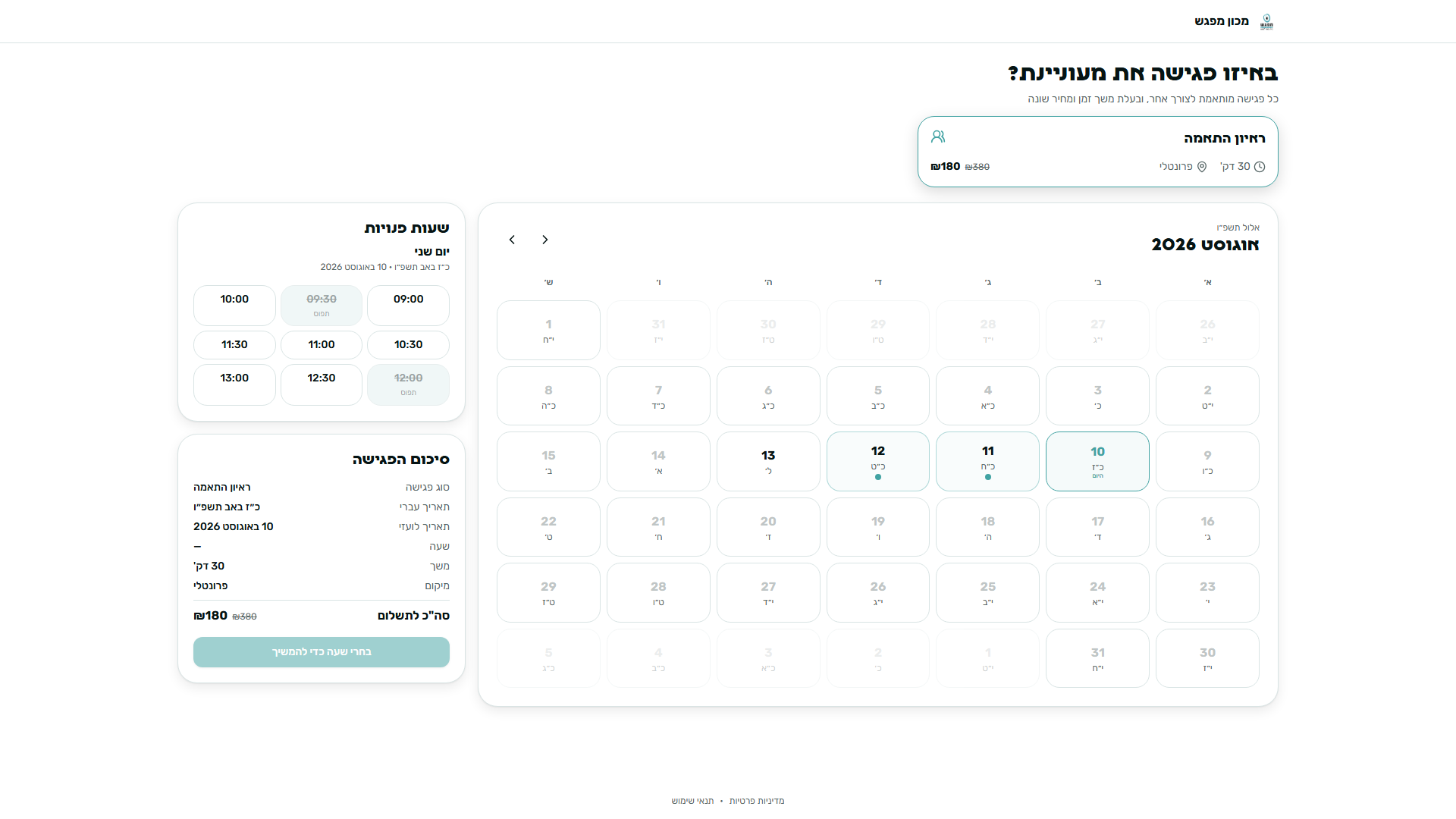
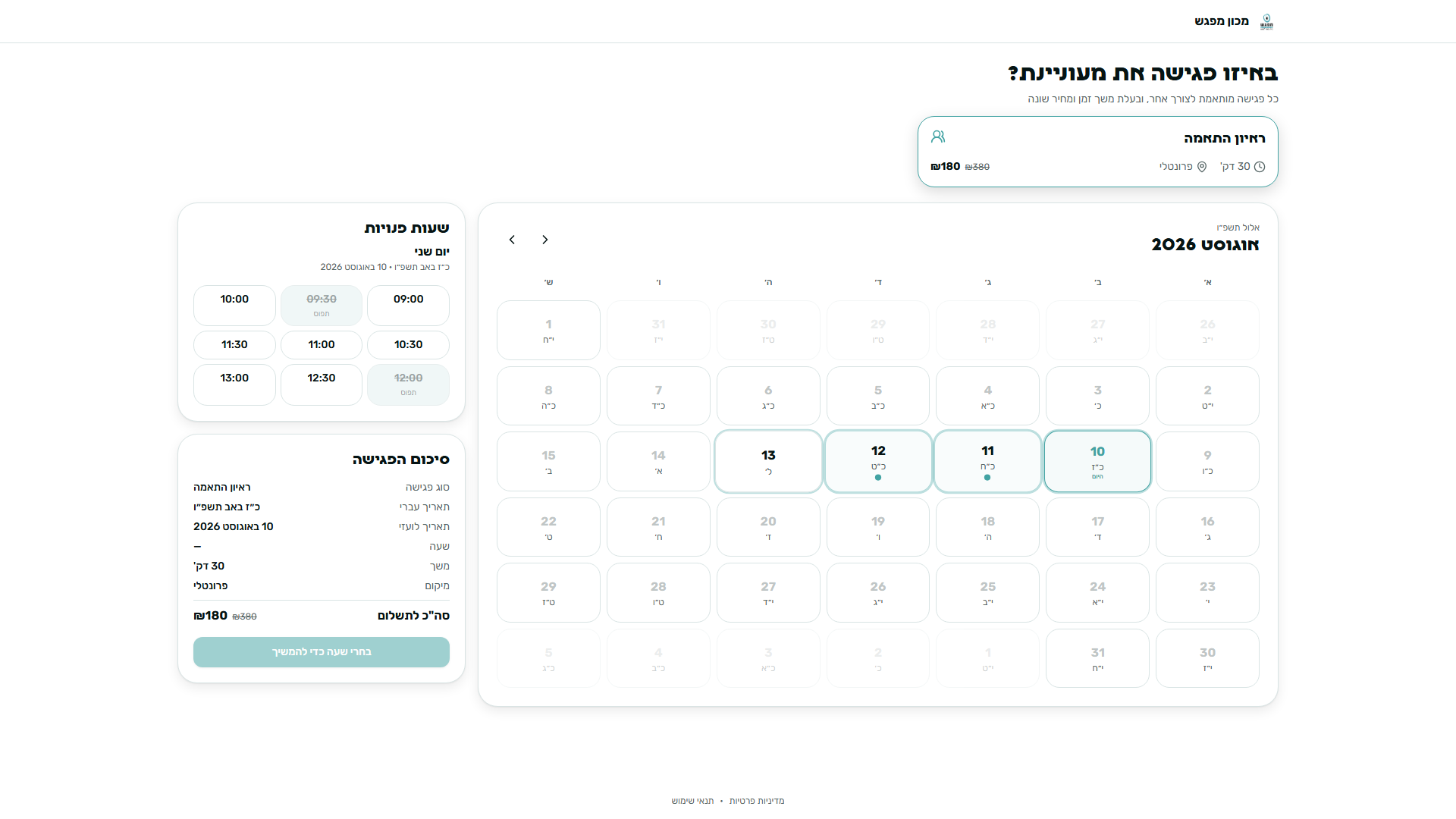
Machon Mifgash provides professional training and certification in psychotherapy and art therapy for women. Ahead of every academic year, the institute runs an intense registration season that involves screening and personal interviews for hundreds of clients. The office runs on just two admins who handle incoming calls, course sales, payments, and everyday operations all at the exact same time. I built a system that moves the scheduling from the admin directly to the client, without making her feel like she is interacting with a machine.
The main registration season is a short window each year, during which the team needs to schedule, collect payments, and interview around 400 clients.
The Problem
Every single interview went through the admin,
and every single step was repeated from scratch around 400 times.
Zero Sync
The calendar lived entirely with the interviewer instead of in front of the office team.
Lost Leads
Anyone who put off payment simply vanished, with no one in the office noticing that things got stuck.
Manual Payments
Credit card numbers were read aloud during the call while the admin waited to see if the charge went through.
Manual Scheduling
Every appointment was booked over the phone, and confirmation emails were typed out by hand every time.
Instructions for the form that needed to be filled out before arriving were explained verbally on every single call, with nowhere for the client to refer back to it later.
Interview slots were not synced with the admin, so she did not know when she could actually schedule appointments for clients.
The Goal
Full automation and complete sync to let the team focus on people rather than paperwork.
Automated Scheduling
Moving as much of the scheduling as possible to direct booking by the client.
Automated Payments
Making payment fully automated and secure instead of reading credit card numbers out loud.
Team Availability
Freeing up the team for tasks that only a human can handle during the busy registration season.
Retaining Leads
Never losing a single lead even when there are no open slots available for an interview.
Fast Checkout
Encouraging the client to pay and arrive as early as possible.
The Experience Goal
Making sure the client does not feel like she is dealing with a machine. It should feel just like booking directly with the institute, with the same supportive care, the same tone, and without feeling heavy, rigid, or overly digital.
The Starting Point
The existing process was made up of seven steps, all completely manual and handled through the admin.
- Client calls in
- Sales call
- Booking the slot by phone
- Reading credit card details
- Approved or declined
- Manual confirmation email
- Verbal explanation of the form
I mapped the existing process from start to finish, from the very first phone call all the way to arriving at the interview.
Two major breaking points, and both end up on the same admin.
Repetitive Explanations
Every detail shared on the call, the time, the form, the email confirmation, happened again and again.
Clients Who Did Not Pay on the Call
They would ask for a payment link later, receive it manually, and in most cases never complete it. In order for them to book on their own, the admin still had to provide available time slots for the meeting.
Market Research
Existing off the shelf tools were built for everyone, which really means they work for no one...
I evaluated six scheduling platforms, three global and three local.






Generic Feel
They look well designed, but nothing about them feels like the business using them. The client sees an external tool, not the brand.
Key Features Locked Behind Paywalls
Assigning interviewers, automated workflows, and custom emails are locked behind expensive subscription tiers priced for large teams.
The gap here is not visual, it is positioning. These platforms were not custom built, forcing the business to bend its workflow to fit the tool.
Challenge #1
How do we let the client book a time that works for her without putting it off for too long?
This was the core decision in the project, born out of a real conflict. On one hand, we want as many clients as possible to come in and book, which means offering plenty of time slots. On the other hand, if a client sees open spots tomorrow, next week, and two weeks out, she has no reason to pay right now. That feeling of plenty ends up delaying registration.
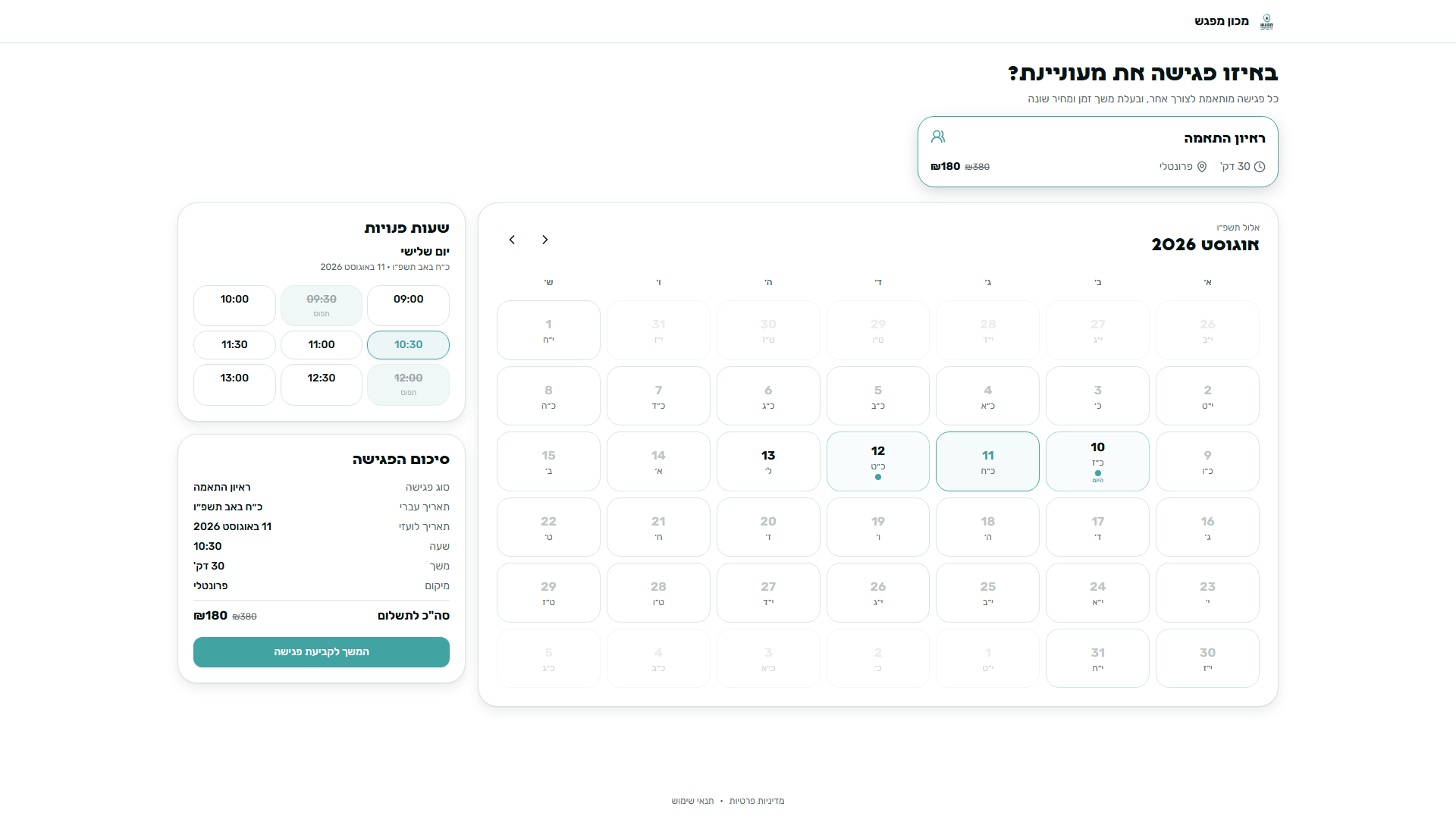
The calendar opens just four days in advance, letting the institute schedule everything ahead of time without showing it all at once.
A rolling four day window shows clients just enough upcoming slots to choose from without inviting delay, while allowing the team to set up schedules months in advance and adjust the visible range anytime.
Challenge #2
How do we keep the system warm and human while including all the information the client needs?
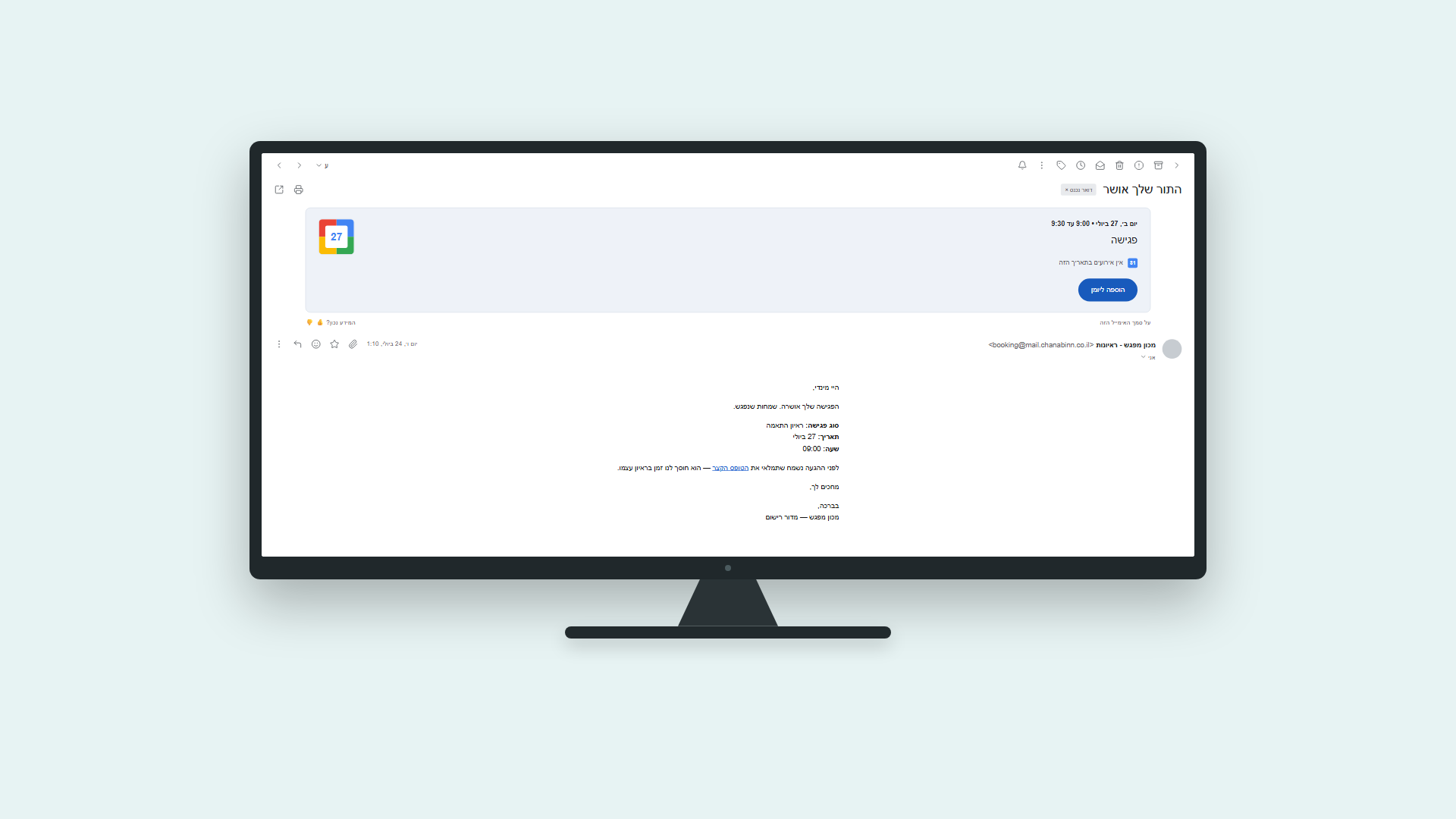
1. A confirmation email that covers everything previously said by phone
Meeting details, the intake form, and a calendar invite are sent in one customizable email, replacing 400 repetitive phone calls with a consistent brand voice.
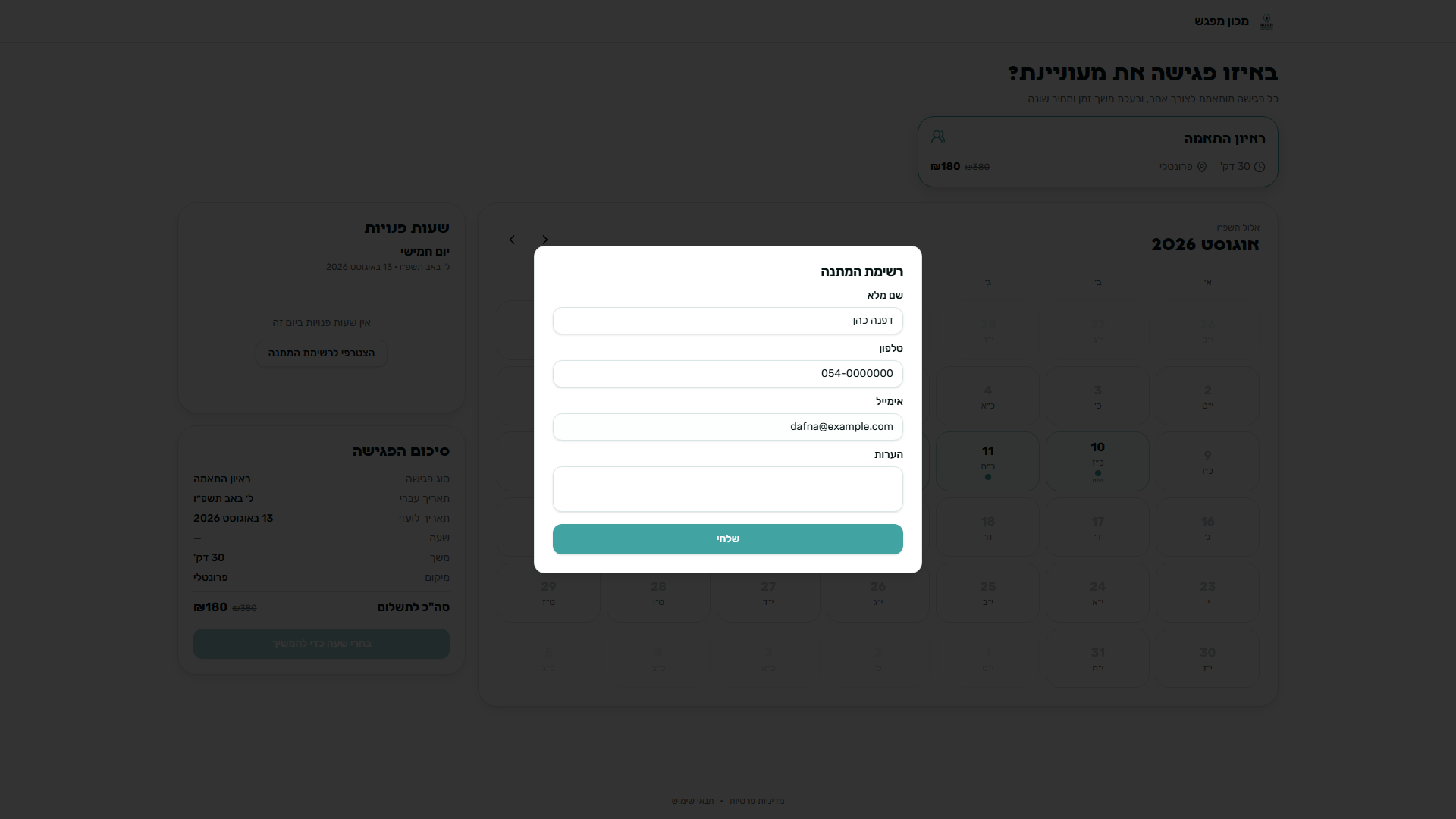
2. A Waitlist When No Slots Are Available
When no open slots are available, the client is not dropped. She simply leaves her details and joins the waitlist, ensuring no lead falls through the cracks.
3. Five Minute Slot Reservation
Selected slots are temporarily reserved for five minutes during checkout to eliminate double bookings during traffic surges. If payment is not completed in time, the slot is instantly released back to the calendar.
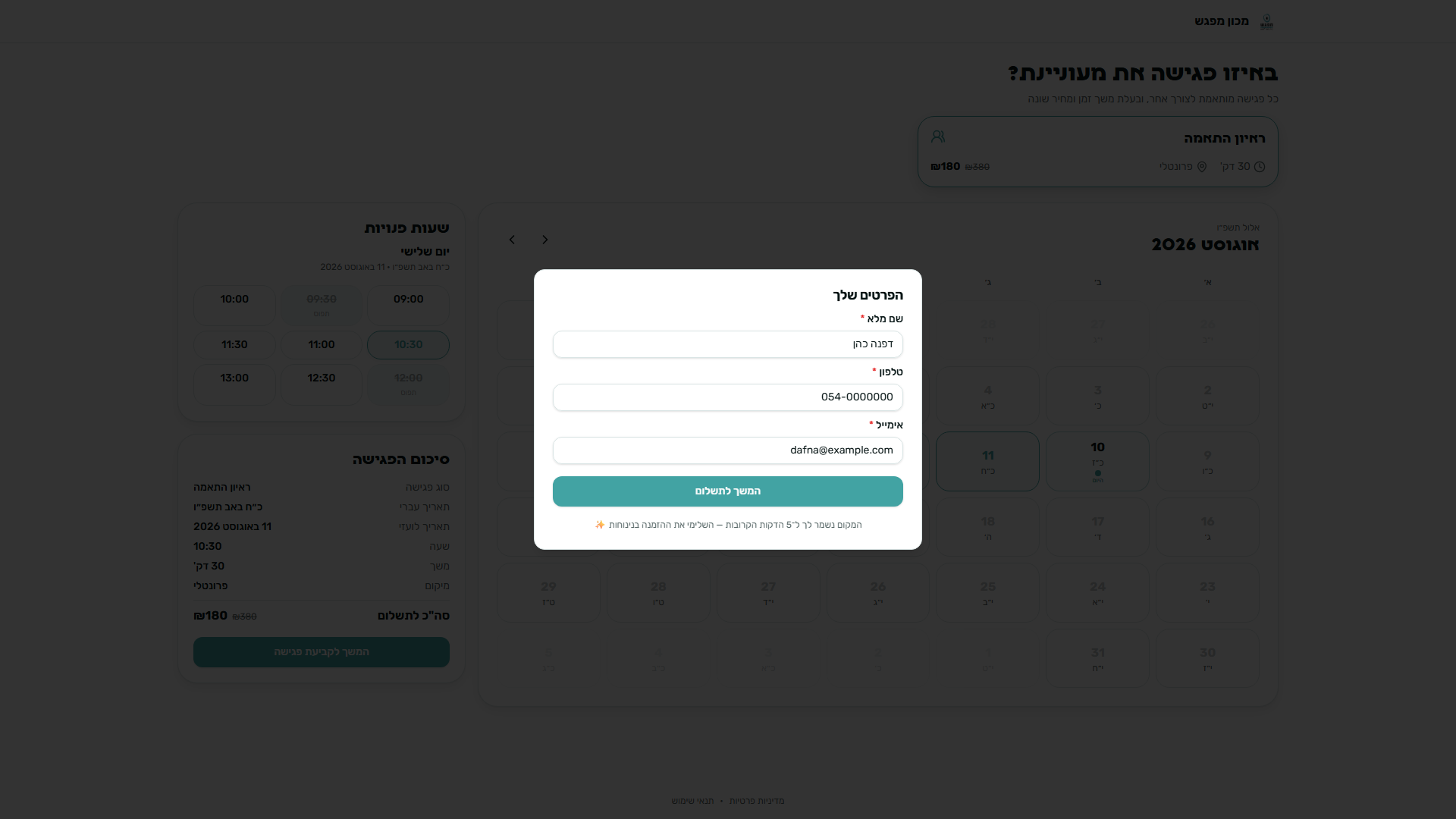
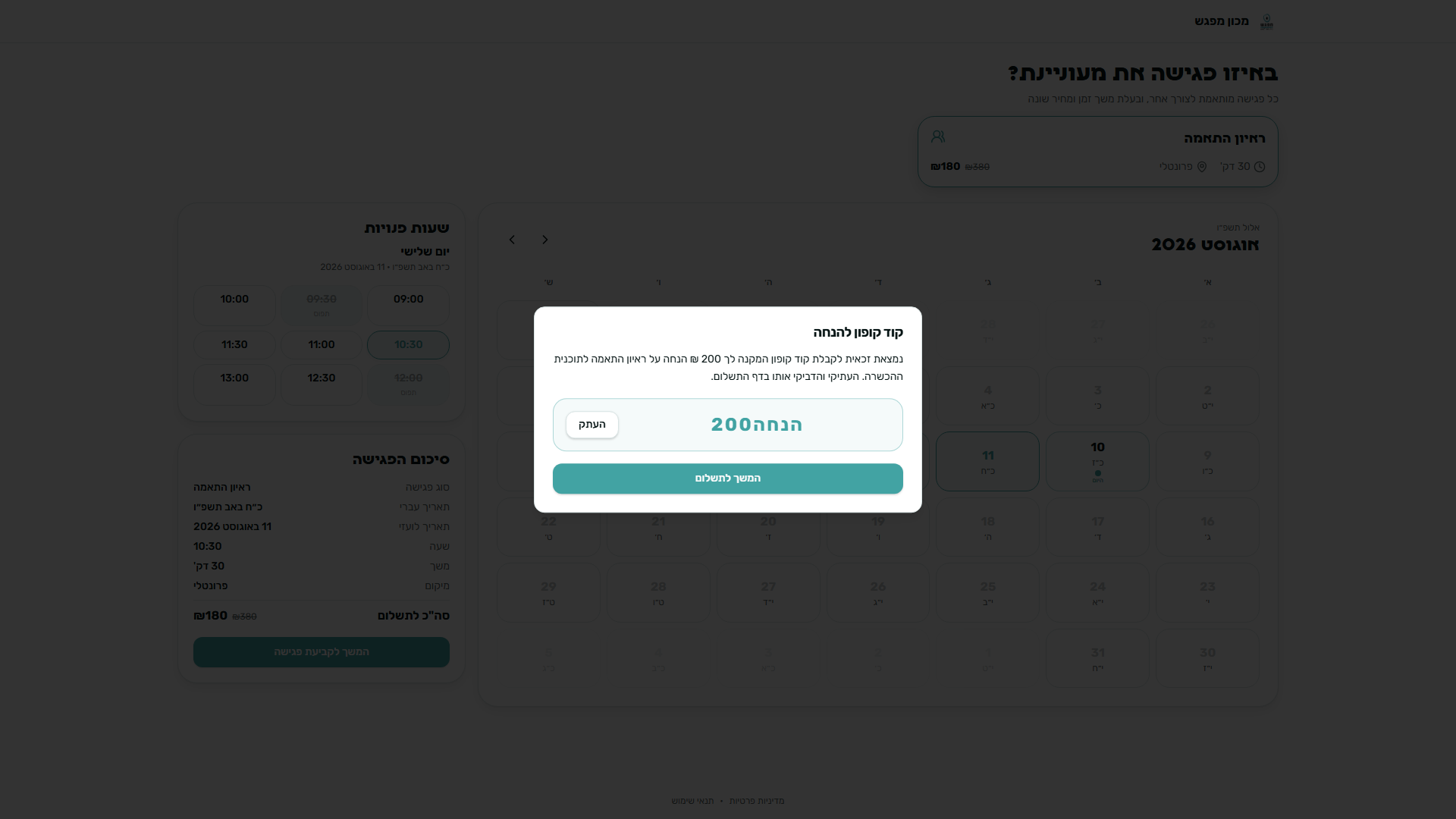
4. Coupon code integrated into the flow
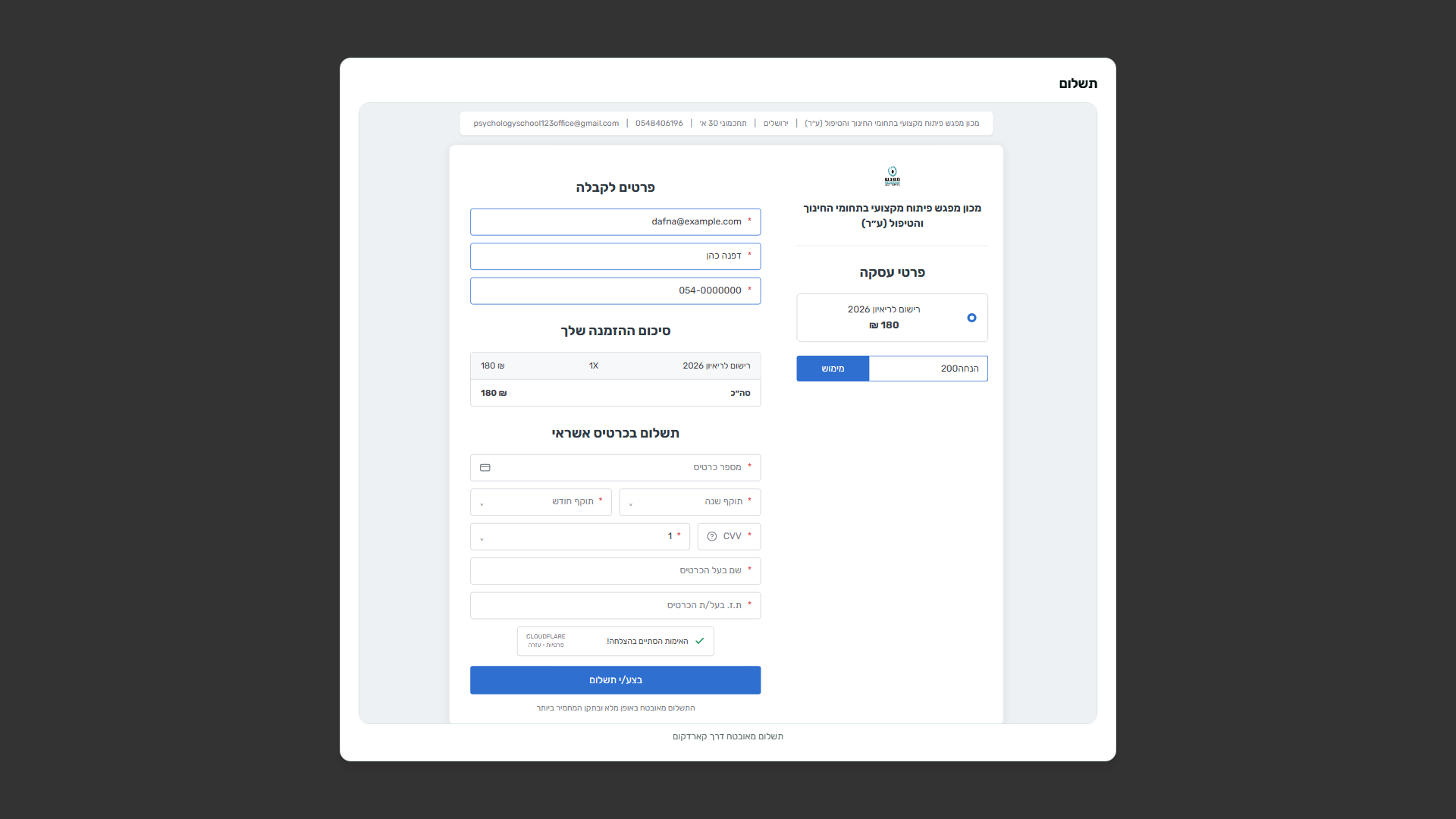
A 200 NIS coupon appears right before checkout with one-click copying, while pre-filled client details carry directly into the embedded payment page to prevent duplicate entry.
Development
The platform went live within a week, completely independent of developers.
By combining Design and AI Development with a broad systems view, I used Lovable to build the architecture, screens, and interface, and drove the full development and logic with Claude Code. Stepping fully into product development, I studied production release workflows deeply and ran extensive AI assisted security testing:
A Silent Yet Costly Bug
Meeting types were stored per individual admin account, so updating the payment link in one profile silently left the live site serving a test link with no error alert.
A Vulnerability That Enabled Free Bookings
The endpoint processing Cardcom webhooks initially confirmed orders straight from the request body without server verification. I patched this before exposure to live volume.
iframe Payments Instead of API Integration
Credit card data never touches our servers, reducing attack surfaces, cutting regulatory overhead, and lowering monthly costs for the client.
Lower Processing Costs Choosing a secure iframe over a direct API avoided a costly monthly subscription upgrade on Cardcom.
Results
“I know tomorrow’s schedule and exactly what to prepare for.”
When interviewing the administrative team after a brief period of use, this is what they shared:
Self-Absorbing Traffic Surges
Following webinars, registrations and payments process seamlessly in parallel without office intervention, handling checkout entirely through the system.
Clear, Real-Time Availability
Admins no longer need to check daily with interviewers for open slots. The calendar syncs automatically, displaying open windows at a glance.
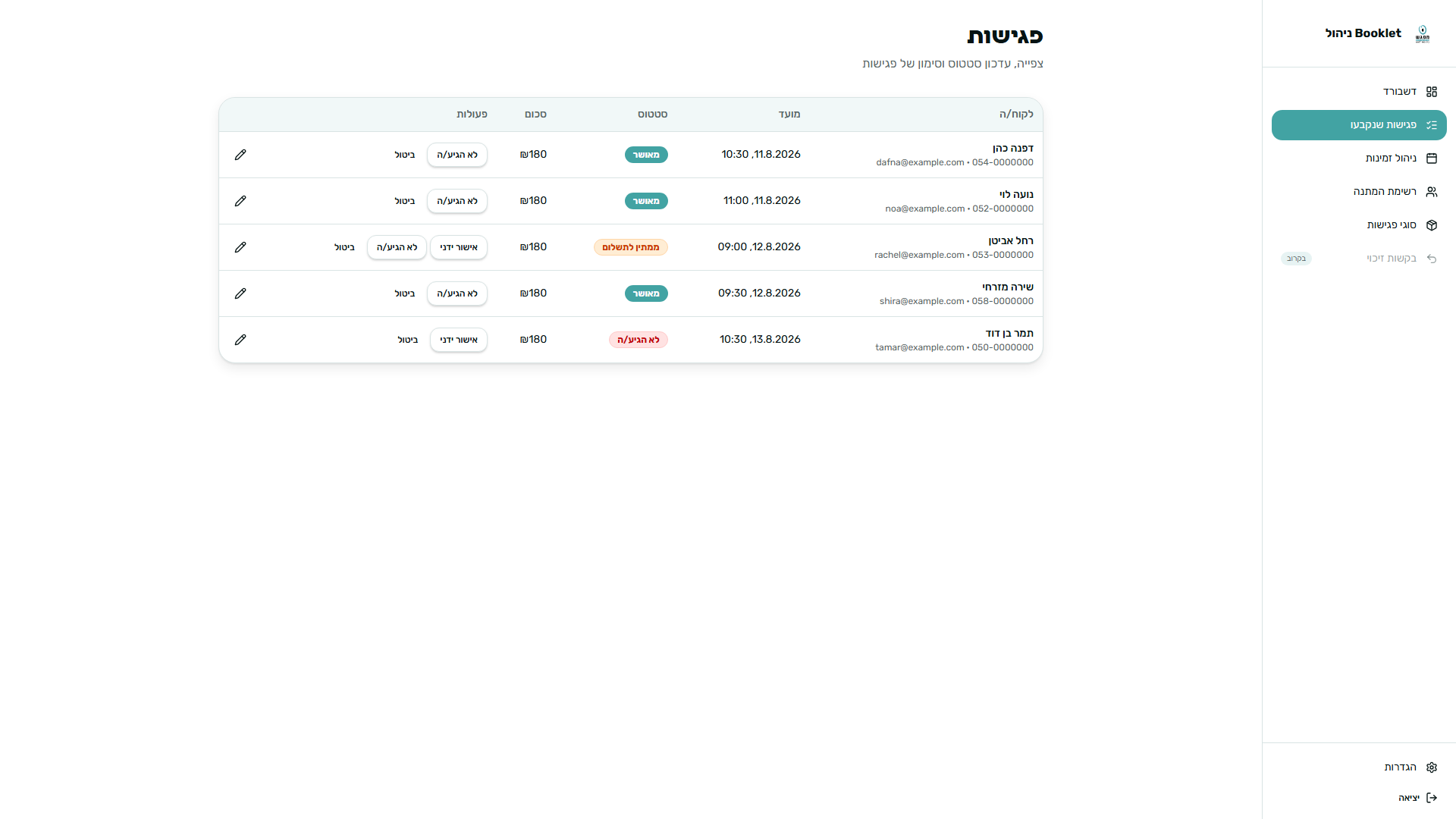
Calendar Management
Who is arriving, who completed payment, and the total interviews scheduled for upcoming days. While not the primary goal, this dramatically streamlined daily team operations.
Upcoming Features for Next Release
Drop-off Tracking
Tracking sent link opens to identify friction points and drop-offs throughout the funnel.
Automated Interviewer Assignment
Directing bookings across multiple interviewers simultaneously with automatic calendar sync.
What I Would Do Differently
Conducting security audits earlier in the development lifecycle rather than at the final stage.